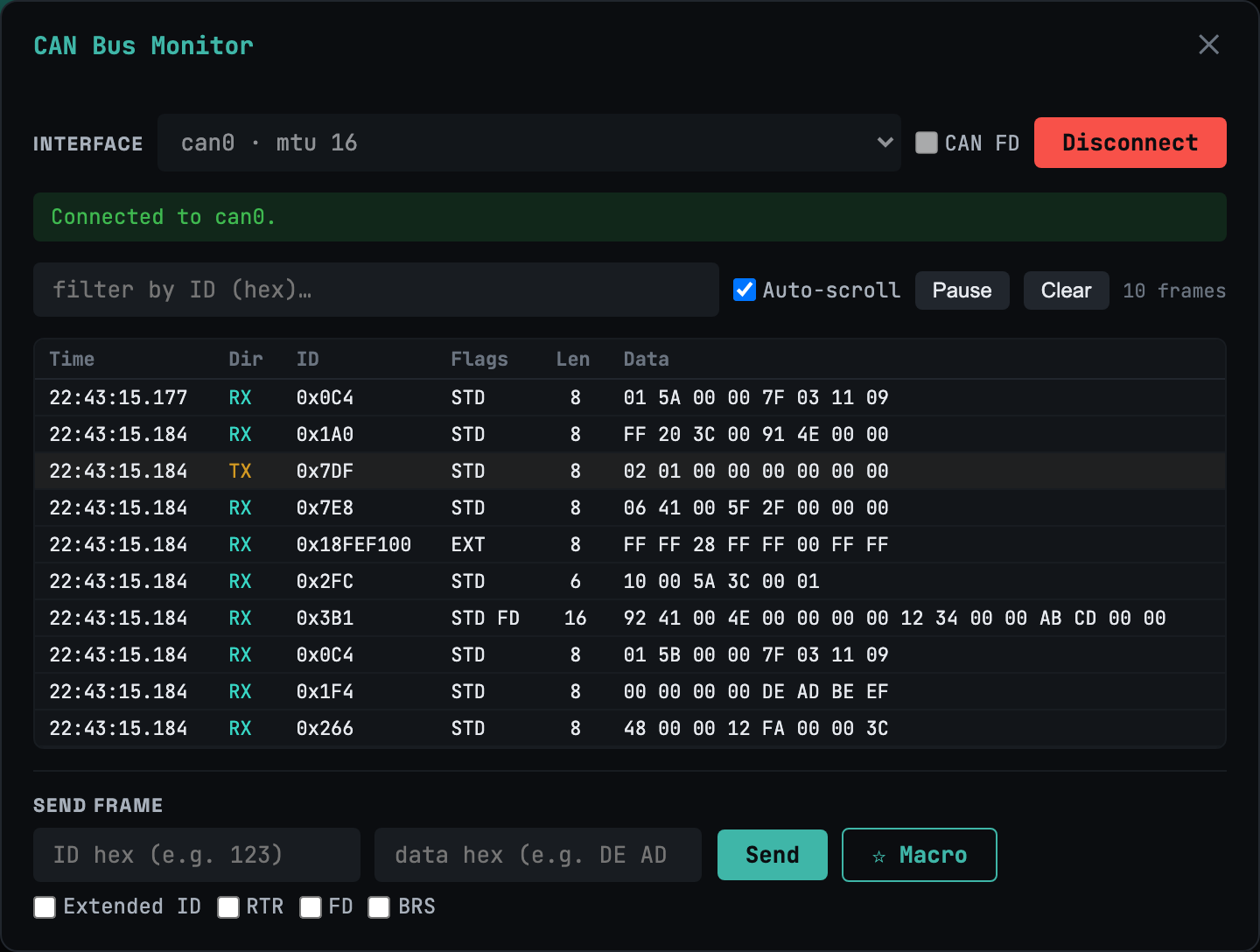
CAN 总线监视器
经典 + FD带十六进制过滤、暂停和帧注入器的实时帧流。支持 BRS 的经典 CAN 与 CAN-FD——扩展 ID、RTR,一应俱全。
大多数 Web 终端止步于 SSH。 webtm 还能讲串口/UART、CAN / CAN-FD、UDS 和 XCP——实时硬件与车辆诊断,再加上 AI 辅助调试。全部自托管,运行在你自己掌控的单个静态二进制文件上。
$ curl -fsSL https://webtm.dev/install.sh | sh
On iPad or iPhone? That command runs on your Mac, Linux box, or Raspberry Pi. Install webtm there, then open it in Safari and tap Share → Add to Home Screen for the full-screen app — virtual key bar, swipe drawer, and all.
个人使用免费 · 支持 iPad · 无需账号即可试用
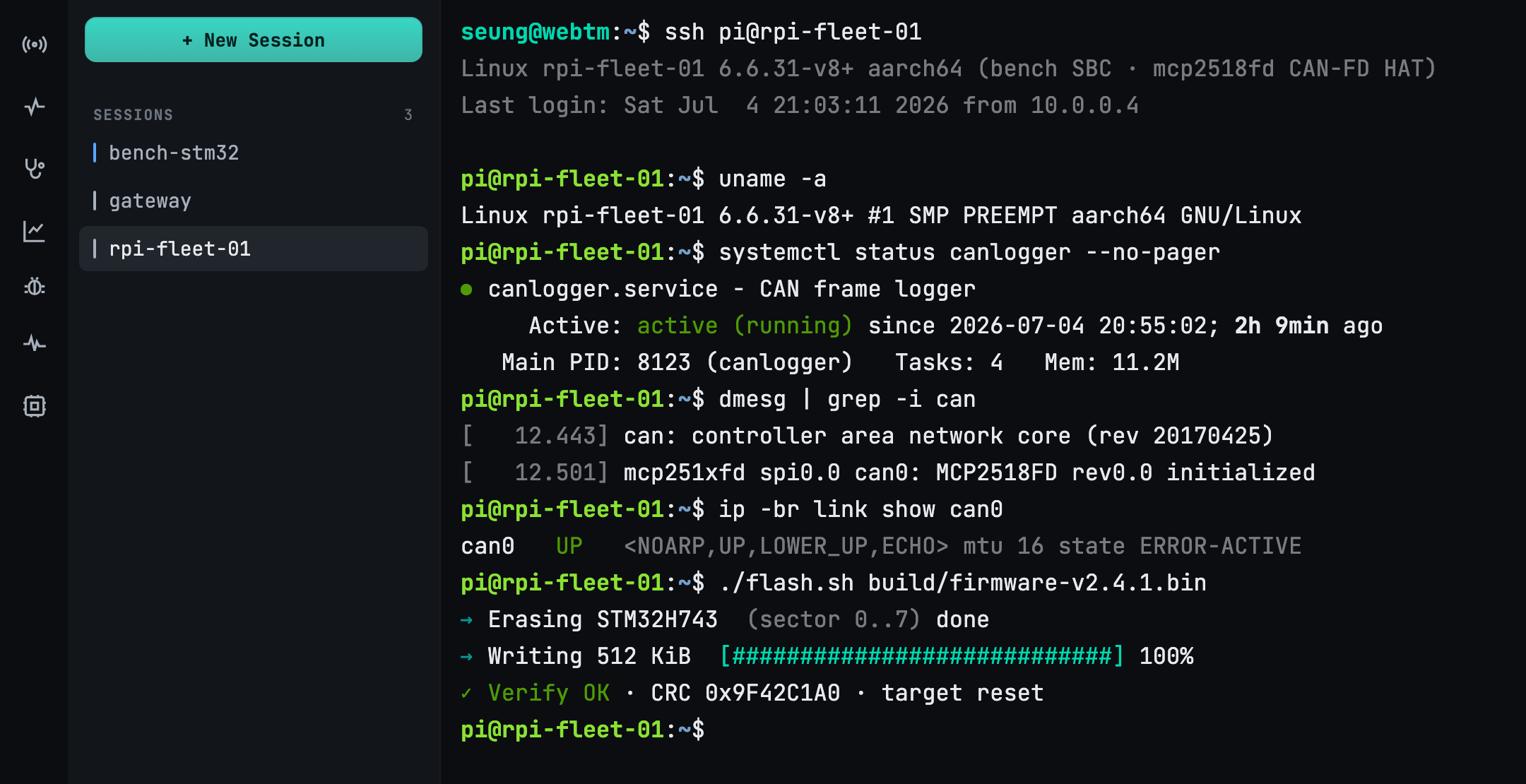
基于 WebSocket 的完整 xterm.js 仿真。tmux 让每个会话在断连后依然存活 — 关掉标签页,回来时一切都在。
打开 /dev/ttyUSB*, ttyACM*, tty.* 在浏览器中。热插拔检测无需重启即可发现新适配器 — 即使在 iPad 上。
CAN / CAN-FD 监视器、通过 DoIP 与 ISO-TP 的 UDS 车辆诊断,以及带实时 DAQ 的 XCP 测量——全部在一个统一传输层上。
Bring your own model (BYOK). Feed a serial log for root-cause, a code fix, a build and a
shareable report — or just ask in plain language: “send start to every
serial.” The agent lists the targets, proposes the action, and waits for your approval
before it runs.
串口、CAN、车载 UDS 与 XCP 标定 —— 在单个
/ws/x WebSocket 上多路复用。用 URI 选择设备,面板即渲染对应协议。
带十六进制过滤、暂停和帧注入器的实时帧流。支持 BRS 的经典 CAN 与 CAN-FD——扩展 ID、RTR,一应俱全。
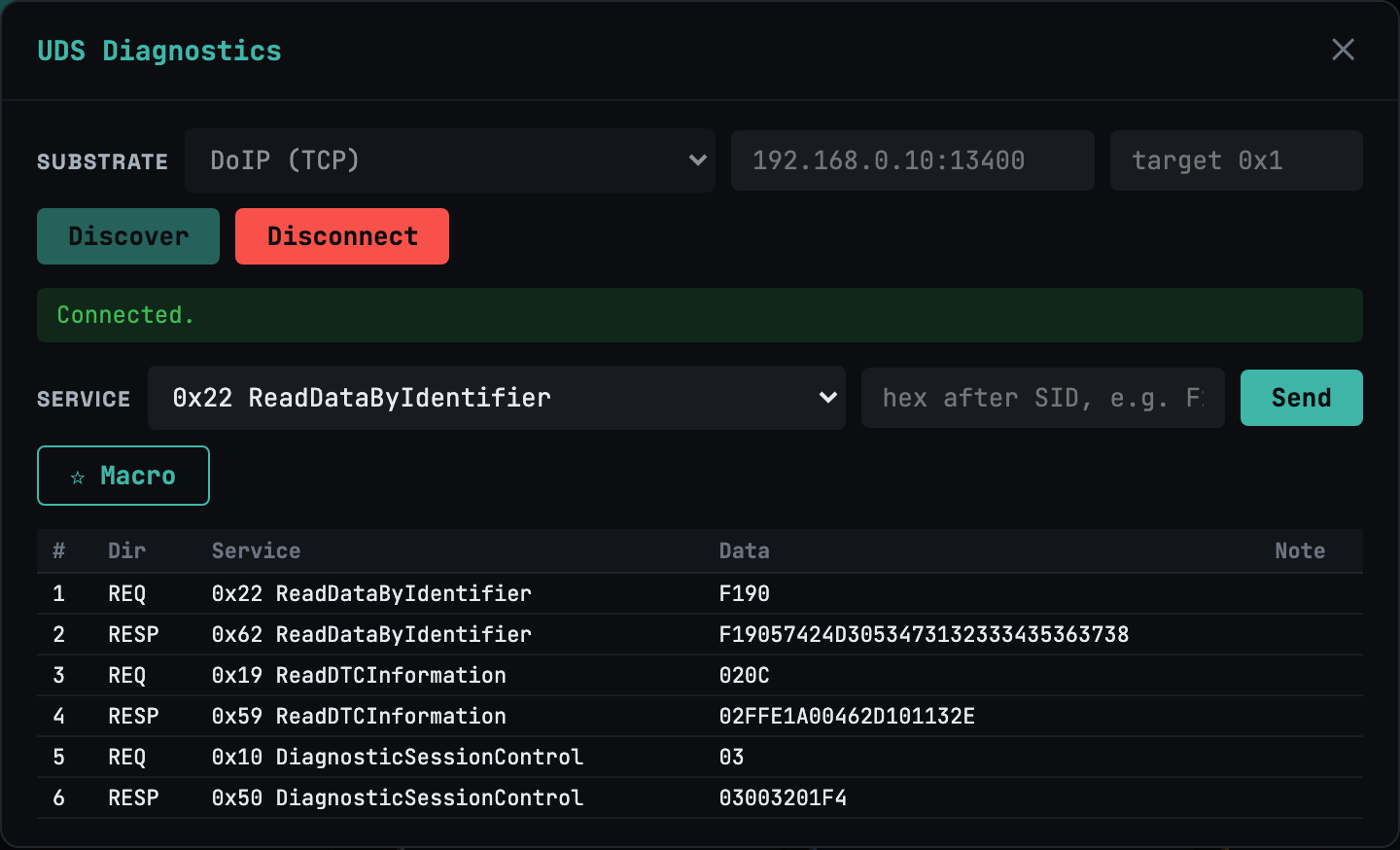
基于 DoIP/TCP 与 ISO-TP/CAN(也支持 CAN-FD)的服务构建器。流控节奏、只读门控,以及 DoIP UDP Discover 用于发现已通告的 ECU。
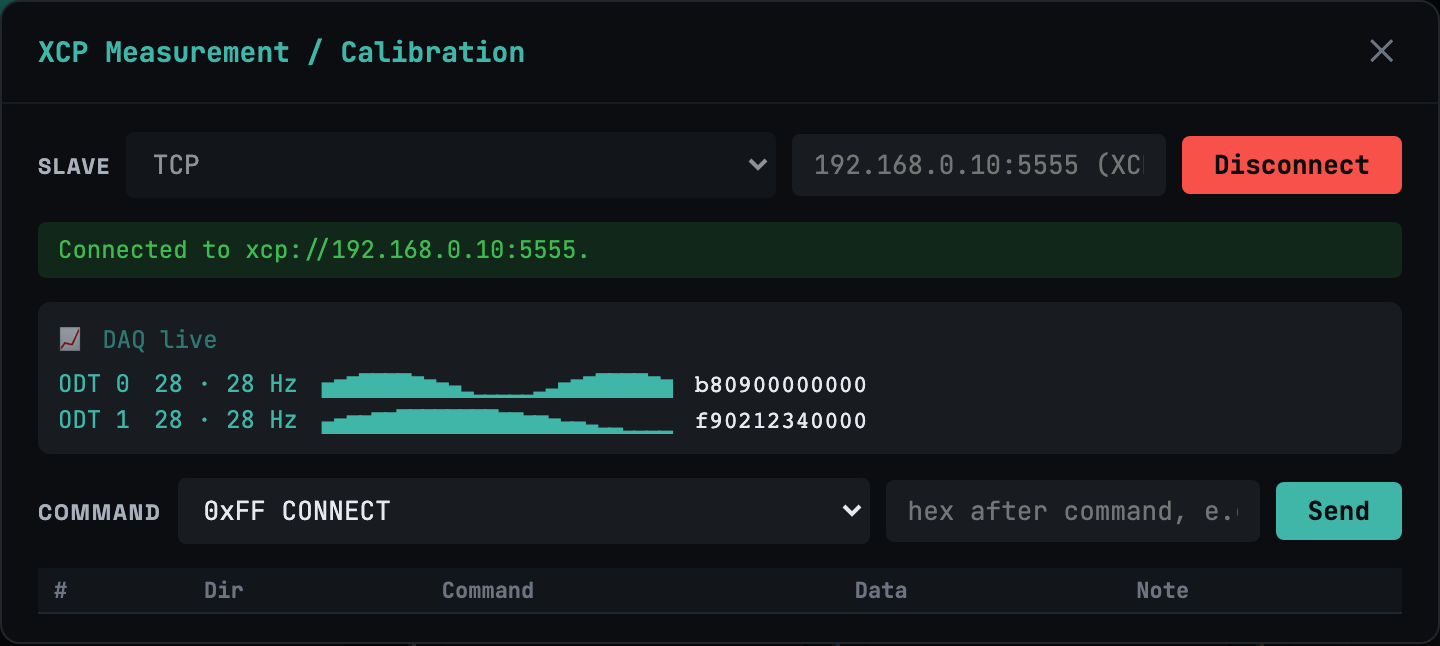
以太网(TCP/UDP)和 CAN 上的 XCP。命令构建器,外加实时 DAQ 视图 — 周期性测量值直接流式传输到浏览器。
打开 serial://…?framing=cobs 用于 COBS+CRC 通道复用链路 — 在 🧩 Embed 面板中把一路 UART 拆成清晰的逻辑通道。
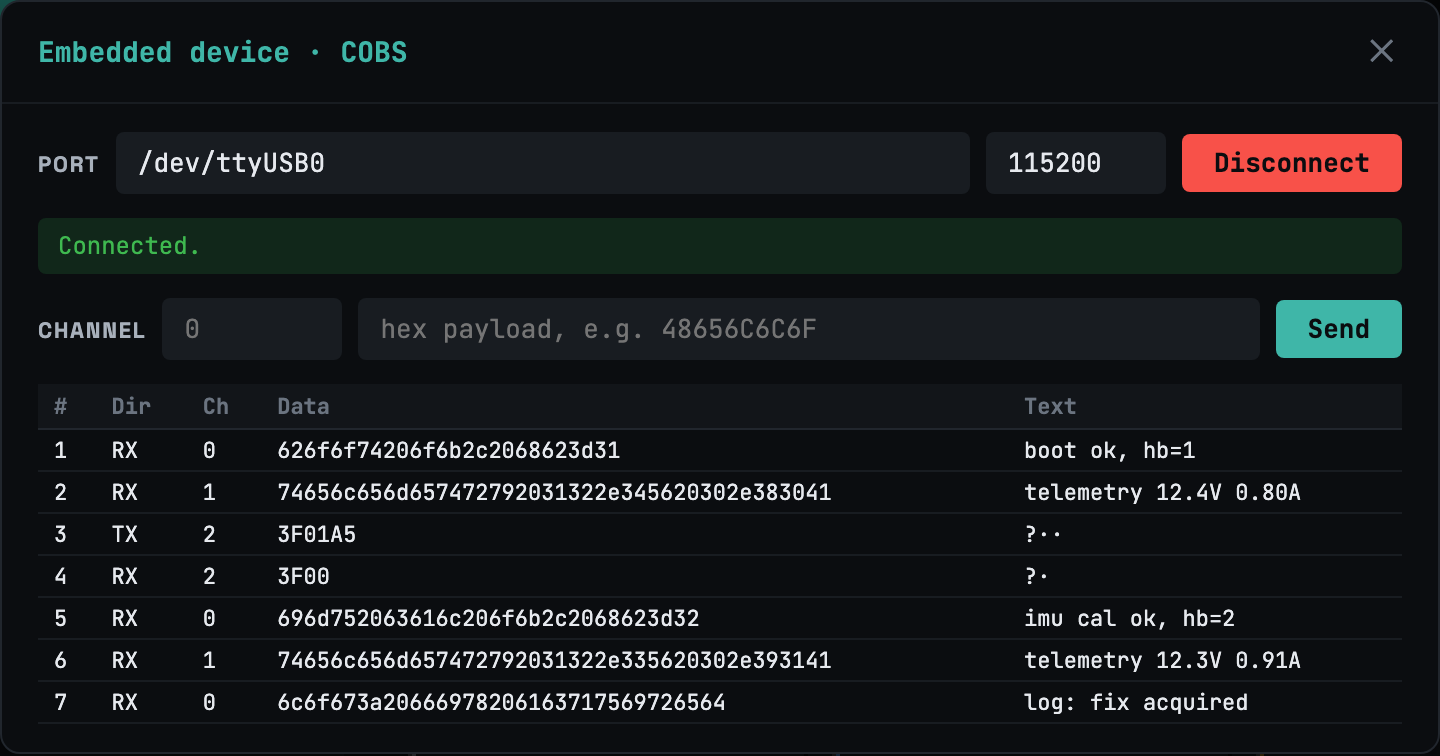
每个设备只是一个 URI,位于 /ws/x.
# serial byte stream / COBS-framed
serial:///dev/ttyUSB0?baud=115200
serial:///dev/ttyUSB0?framing=cobs

# CAN / CAN-FD
can://can0?fd=1

# UDS over DoIP (TCP) / over ISO-TP (CAN-FD)
uds://doip/192.168.0.10:13400
uds://can0/0x7E0?rx=0x7E8&fd=1

# XCP on Ethernet / on CAN
xcp://eth/192.168.0.10:5555
xcp://can0/0x100?rx=0x101&fd=1

# remote device via agent (Ultra)
agent://rpi-001/serial/ttyUSB0?baud=115200
一个网页搞定整个工作 — 连接、保持、广播、调试。
每个会话 256 KB 环形缓冲区,加上智能重连会重放你错过的每一个字节。不稳定的 Wi-Fi 不再是问题。
一条命令同时下发到多块板卡 — 并行、顺序或滚动 — 并排查看每台设备的输出。
虚拟按键栏(Esc、Tab、Ctrl、方向键)和 ⌘K 命令面板,让真正的终端在手机或平板上也好用。
代理把远程板卡的串口或 CAN 暴露为 agent:// —— 用加入令牌自注册,然后即可调试地球另一端的硬件。
把实时会话的只读链接发给别人 — 对方无需安装、无需账号、无需任何设置。
单个 10 MB 静态二进制文件, CGO_ENABLED=0,内嵌 Web 资源。可安装为 PWA、支持离线,用一个参数即可通过 Cloudflare Tunnel 对外开放。
自带模型 — Claude、OpenAI 或本地 Ollama。整个闭环都在标签页内完成。
一个 HardFault 或堆栈跟踪出现在串口控制台上。
模型读取日志并定位根本原因。
它提出补丁;你批准;它完成构建。
可分享的网页报告记录了改了什么、为什么改。
SSH 客户端止步于 SSH。串口工具止步于串口。CAN 和诊断套件各自为政。webtm 就是整个工作台。
| Teleport tmate | minicom | SavvyCAN | CANape | webtm | |
|---|---|---|---|---|---|
| SSH 终端 | ✓ | — | — | — | ✓ |
| 串口 / UART | — | ✓ | — | — | ✓ |
| CAN / CAN-FD 监视器 | — | — | ✓ | ✓ | ✓ |
| UDS 诊断(DoIP/ISO-TP) | — | — | — | ✓ | ✓ |
| XCP 测量 / DAQ | — | — | — | ✓ | ✓ |
| 1:N 广播 · AI 代理 | — | — | — | — | ✓ |
| 在浏览器中 · 支持 iPad | — | — | — | — | ✓ |
| 自托管,单个二进制文件 | — | ✓ | ✓ | — | ✓ |
每个竞品都只是工作台上的一个点。只有 webtm 能做到全部 — 在浏览器中,自托管。
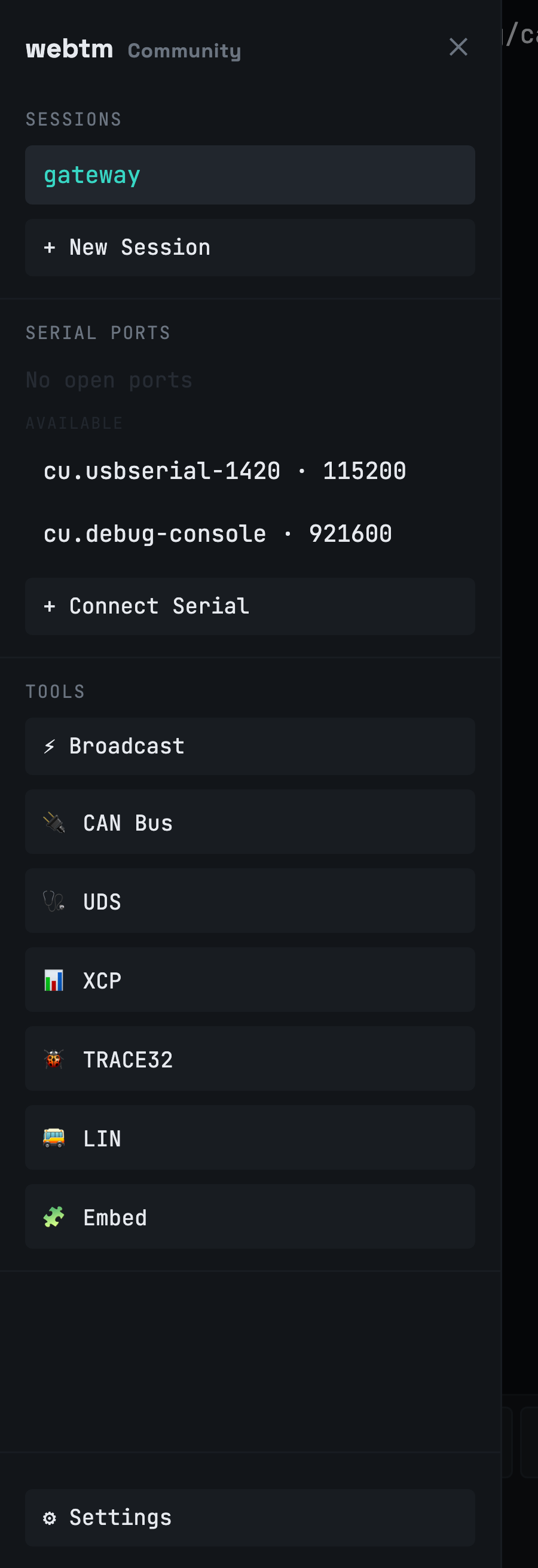
webtm 可作为 PWA 安装,触屏下进入全屏。虚拟按键栏把 Esc、Tab、Ctrl 和方向键放到拇指之下,滑动抽屉收纳你的会话、端口与诊断。别人都做不到的事:从平板上打开硬件的串口控制台。
webtm 是自托管的。ttyd 和串口管理器仅绑定到 127.0.0.1 —— 网关是唯一的入口,认证、许可证和会话限制都在这里。原始车载出站流量(DoIP/XCP)需显式启用,默认关闭; tcp:// 带有 SSRF 防护。许可证使用 Ed25519 签名离线校验:启动时绝不回连。
自己运行 — 个人与非商业用途免费。只有当你需要团队、规模或硬件集群功能时才升级。
个人与非商业用途
面向一线开发者
面向嵌入式团队与设备集群
| Community | Pro | Ultra | |
|---|---|---|---|
| SSH 终端会话 | 2 | 无限制 | 无限制 |
| 本地串口 / UART 端口 | 1 | 无限制 | 无限制 |
| CAN · UDS · XCP 诊断 | ✓ | ✓ | ✓ |
| tmux 持久化 · PWA · ⌘K | ✓ | ✓ | ✓ |
| 只读会话共享 | — | ✓ | ✓ |
| 多用户账号 | — | ✓ | ✓ |
| 按设备的访问控制 | — | ✓ | ✓ |
| 远程串口 / CAN(Agent) | — | — | ✓ |
| 1:N 广播 | — | — | ✓ |
| AI 调试(BYOK) | — | — | ✓ |
| 条件访问策略 | — | — | ✓ |
| 审计日志 | — | — | ✓ |
Billed via Paddle · licenses are Ed25519-signed and validate offline. Already subscribed? Manage or cancel your subscription.
✅ Payment received — your license key is on its way to your inbox. Install webtm below, then paste the key in Settings → Billing.
The short version of what webtm is, how it differs, and what it costs.
webtm is a self-hosted web terminal that runs as a single 10 MB static binary.
In one browser tab it provides SSH and serial/UART consoles, CAN / CAN-FD monitoring,
UDS (ISO 14229) and XCP vehicle diagnostics, and AI-assisted debugging. Every device is
addressed as a URI multiplexed over a single /ws/x WebSocket.
Most web terminals stop at SSH, and serial, CAN, and diagnostic suites are each a separate app. webtm is the only one that combines SSH, serial/UART, CAN / CAN-FD, UDS diagnostics, XCP measurement, 1:N broadcast, and an AI agent — from a browser, self-hosted on one binary, and usable on an iPad.
Community is free for personal and non-commercial use (2 SSH sessions, 1 serial port, full CAN/UDS/XCP diagnostics). Pro is $9/month for unlimited sessions, session sharing, multi-user accounts, and per-device access control. Ultra is $39/month, adding remote serial/CAN agents, 1:N broadcast, AI debugging (bring your own key), conditional access, and audit logs. Billing is via Paddle and licenses validate offline.
webtm is self-hosted, so your data stays on your machine. ttyd and the serial manager bind
to 127.0.0.1 only; the gateway is the single door where auth (bcrypt/JWT),
license, and session limits live. Raw automotive egress (DoIP/XCP) is opt-in and off by
default, tcp:// has an SSRF guard, and licenses validate offline with Ed25519
signatures — there is no call-home on startup.
Yes. You install webtm on a Mac, Linux box, or Raspberry Pi, then open it in Safari and add it to the Home Screen as a PWA. It goes full-screen on touch with a virtual key bar (Esc, Tab, Ctrl, arrows), a swipe session drawer, and a ⌘K command palette — letting you open a serial console on real hardware from a tablet.
AI debugging is bring-your-own-key (BYOK): you can use Claude, OpenAI, or a local Ollama model. The agent reads a serial log to find the root cause, proposes a fix, builds it, and generates a shareable report — waiting for your approval before it runs any action. It is available on the Ultra plan.
curl -fsSL https://webtm.dev/install.sh | sh
一个静态二进制文件进入你的 PATH。无运行时、无依赖。
webtm up
Starts on localhost:4100. Add --auth or --tunnel when
you're ready to expose it.
open http://localhost:4100
终端、串口、CAN、UDS、XCP 以及 AI 面板 — 在浏览器中,任意设备上。